创建 Snowflake Postgres 实例
概述
You can create Snowflake Postgres instances by using either Snowsight or by executing Snowflake SQL statements. You can configure the size of the instance, the storage size, and the Postgres major version when creating an instance. You can also apply network policies to instances at creation time.
权限
要创建 Snowflake Postgres 实例,您必须使用已在账户上被授予 CREATE POSTGRES INSTANCE 权限的角色。默认向 ACCOUNTADMIN 角色授予此权限。
要将此权限授予其他角色,拥有 ACCOUNTADMIN 角色的用户可以运行 GRANT <privileges> ... TO ROLE 命令:
创建 Postgres 实例
您可以通过 Create 菜单,或在 Postgres Instances 页面中使用 Create 按钮来创建 Postgres 实例。
使用主 Create 菜单:
在导航菜单顶部,选择
 (Create)。
选择 Postgres Instance。
配置实例。
选择 Create。
使用 Postgres 实例页面上的 Create 按钮:
在导航菜单中,选择 Postgres。
在 Postgres Instances 页面,选择右上角的 Create 按钮。
选择您的实例配置。
选择 Create。
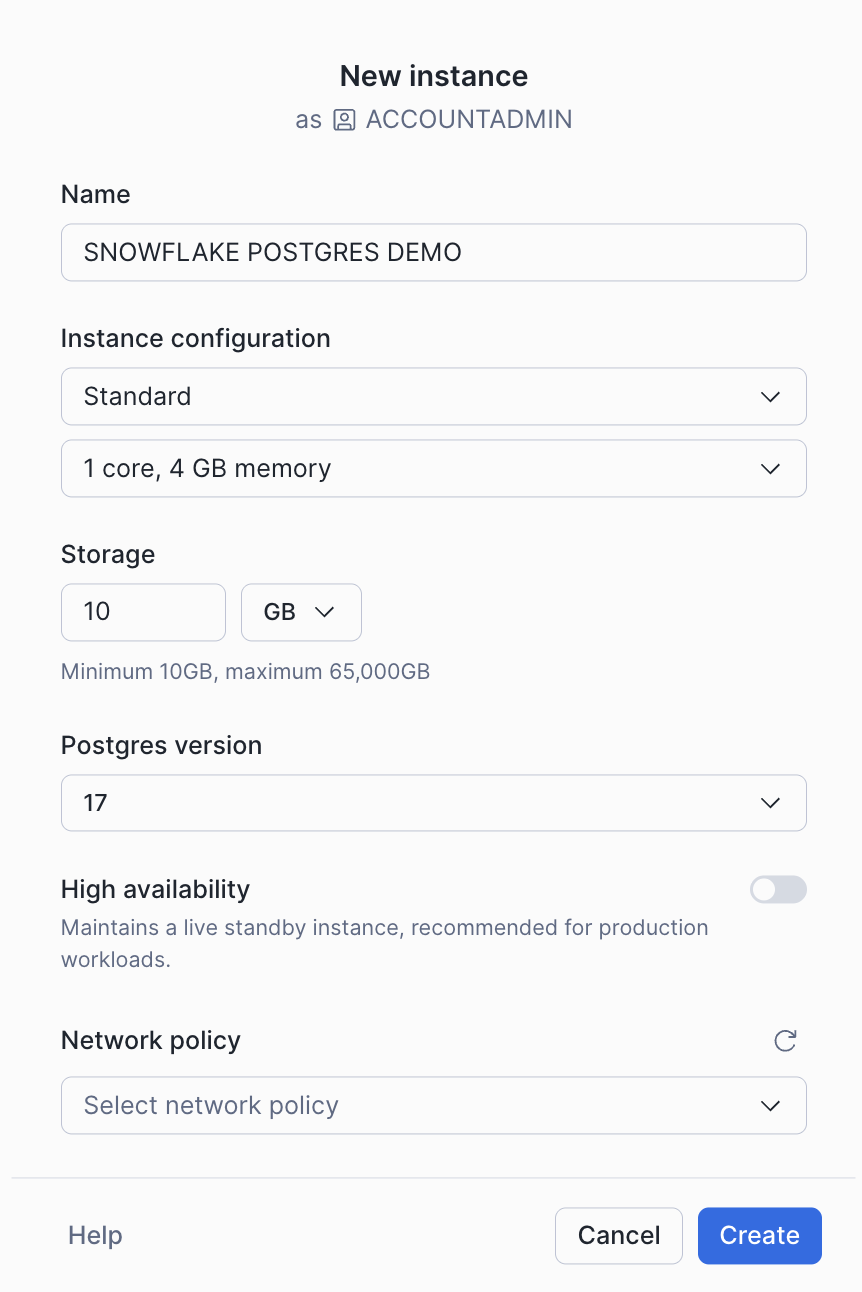
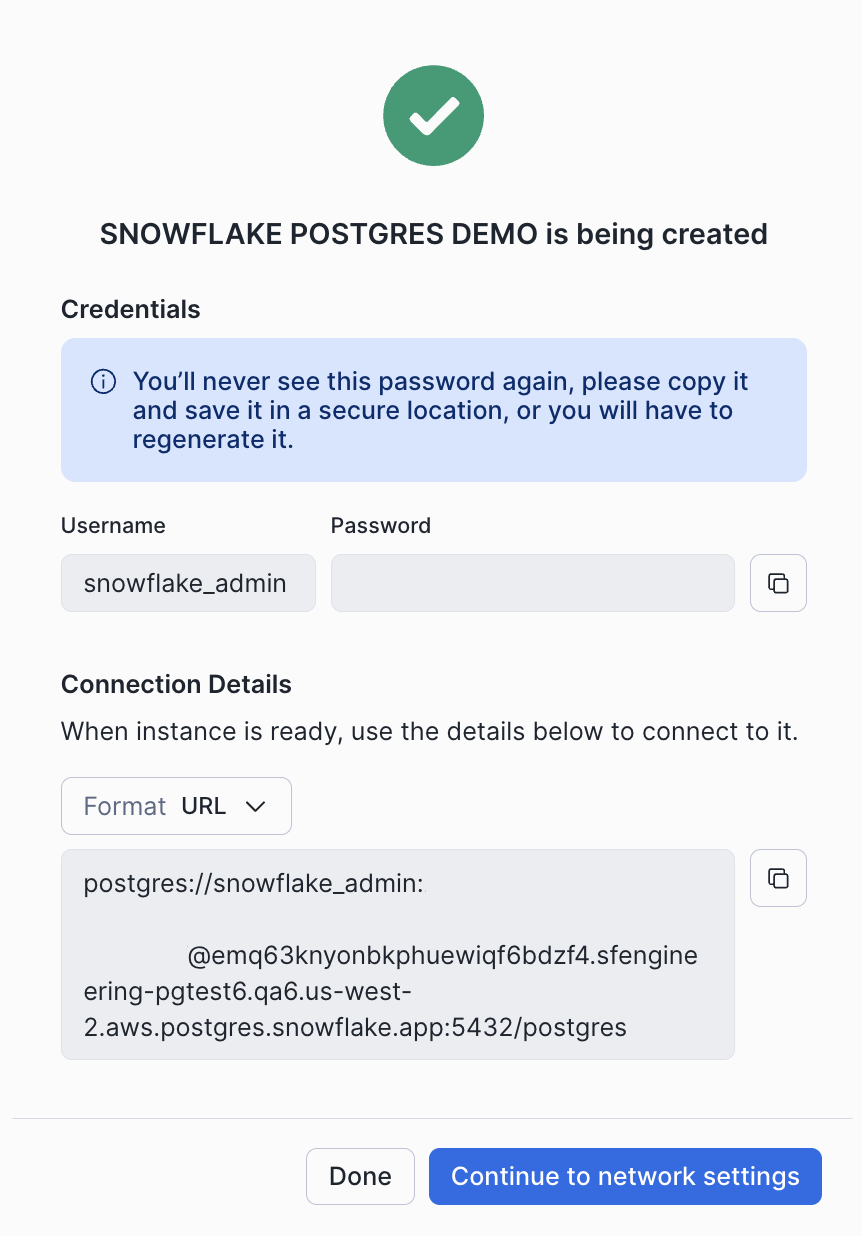
创建实例时,将显示连接详情,包括连接实例所需的主机名和凭证。请将这些凭证保存在安全的位置;它们将不会再次显示。如有需要,您可以稍后重新生成凭据。
如果您未选择网络策略,将可以从实例详情页面配置网络设置。有关更多详细信息,请参阅 Snowflake Postgres 网络。
Use the CREATE POSTGRES INSTANCE command to create a new Postgres instance. The syntax of this command is shown below:
对于命令参数:
COMPUTE_FAMILY = compute_family指定 Snowflake Postgres 实例规格 表中实例规格的名称。
STORAGE_SIZE_GB = storage_gb指定存储大小,单位为 GB。必须介于 10 到 65,535 之间。
AUTHENTICATION_AUTHORITY = POSTGRES确定对实例进行身份验证的方式。目前唯一可用的选项是
POSTGRES,但未来可能支持其他身份验证方法,包括SNOWFLAKE。POSTGRES_VERSION = { 16 | 17 | 18 }指定要使用的 Postgres 版本。
默认值:None。 最新的 Postgres 版本。
NETWORK_POLICY = 'network_policy'Specifies the network policy to use for the instance. To specify this parameter, you must have been granted the USAGE privilege on the NETWORK_POLICY object.
Default: No network policy is applied. A network policy will need to be configured before the instance can be reached. See Snowflake Postgres 网络 for more information.
HIGH_AVAILABILITY = { TRUE | FALSE }指定是否为实例启用高可用性。
默认:
FALSEPOSTGRES_SETTINGS = 'json_string'Allows you to optionally set Postgres configuration parameters on your instance in JSON format. See Snowflake Postgres 服务器设置 for a list of available Postgres parameters.
默认值:None。未设置自定义 Postgres 配置参数。
COMMENT = 'string_literal'指定 Postgres 实例的注释。
默认:
NULL
创建实例时,将返回包含以下列的一行:
statushostaccess_rolesdefault_database
access_roles 列包含 snowflake_admin 和 application 角色的用户名和密码。请将这些详细信息保存在安全的位置,因为它们之后将无法重新获取。
Creating a new instance takes some time to complete. The instance displays its current state as it is building. See the list of instance states for details about the states that you see while instances are being created.