The PIPE object
The PIPE object is the server-side processing layer for Snowpipe Streaming. Every streaming ingestion flows through a pipe, which handles schema validation, optional in-flight data transformations, and optional pre-clustering before committing data to the target table.
The PIPE object provides the following capabilities:
- In-flight transformations: Reorder columns, cast types, and apply expressions during ingestion by using COPY command transformation syntax. This enables data cleansing and reshaping at ingest time, with no separate ETL step required.
- Pre-clustering: Sort data during ingestion based on table clustering keys for optimized query performance.
- Server-side schema validation: Validate incoming data against the schema defined in the pipe before committing.
- Table feature support: Ingest into tables with defined clustering keys, DEFAULT value columns, and AUTOINCREMENT (or IDENTITY) columns.
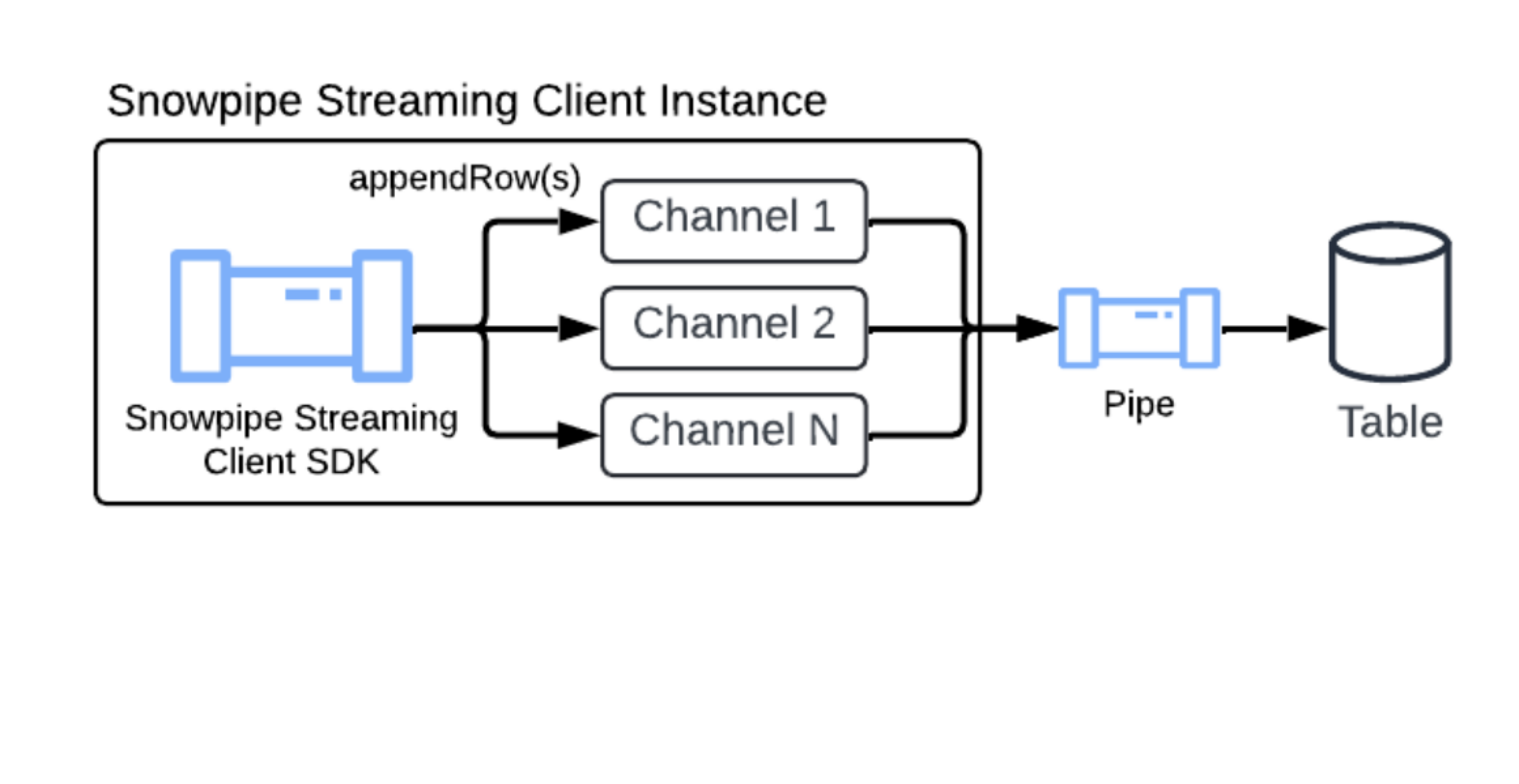
For quick setup, Snowflake automatically creates a default pipe for every table. The default pipe handles ingestion with no manual DDL required. For advanced use cases that require transformations or pre-clustering, you can create a custom named pipe. For more information, see CREATE PIPE.
Default pipe
Snowflake provides a default pipe for every target table. The default pipe is created on demand after the first successful pipe-info call, Named Channel open call, or Elastic table-endpoint request against the target table. Every streaming pipe includes an implicit ELASTIC channel. The Elastic table endpoint uses that channel without a separate open-channel operation. This lets you start streaming data immediately without manually executing CREATE PIPE DDL statements.
- On-demand creation: You can only view or describe the pipe (using SHOW PIPES or DESCRIBE PIPE) after one of these operations instantiates it.
- Naming convention:
<TABLE_NAME>-STREAMING(for example,MY_TABLE-STREAMING) - Fully Snowflake managed: You can’t run CREATE, ALTER, or DROP on the default pipe.
- Visibility: You can inspect the default pipe using SHOW PIPES, DESCRIBE PIPE, and SHOW CHANNELS. The default pipe is also included in the ACCOUNT_USAGE.PIPES, ACCOUNT_USAGE.METERING_HISTORY, and ORGANIZATION_USAGE.PIPES views.
The default pipe supports the following table features:
- Clustering keys: If the target table has clustering keys defined, the default pipe sorts data during ingestion (pre-clustering) for optimized query performance.
- AUTOINCREMENT and IDENTITY columns: The default pipe automatically generates values for AUTOINCREMENT and IDENTITY columns on the target table.
- DEFAULT value columns: The default pipe applies the defined DEFAULT value when the source payload doesn’t include a value for that column.
The default pipe has the following limitation:
- No transformations: The default pipe uses
MATCH_BY_COLUMN_NAMEin the underlying copy statement. It doesn’t support in-flight data transformations.
If your workflow requires transformations, create your own named pipe. For more information, see CREATE PIPE.
When you configure the Snowpipe Streaming SDK or REST API, you can reference the default pipe name in your client configuration to begin streaming. For more information, see Tutorial: Get started with Named Channels using the SDK and Tutorial: Get started with Named Channels using the REST API.
Pre-clustering data during ingestion
Snowpipe Streaming can cluster in-flight data during ingestion, which improves query performance on your target tables. This feature sorts your data directly during ingestion before the data is committed.
To use pre-clustering, your target table must have clustering keys defined. You can then enable this feature by setting the parameter CLUSTER_AT_INGEST_TIME to TRUE in your COPY INTO statement when creating or replacing your Snowpipe Streaming pipe.
For more information, see CLUSTER_AT_INGEST_TIME.
Important
When you use the pre-clustering feature, don’t disable the auto-clustering feature on the destination table. Disabling auto-clustering can lead to degraded query performance over time.
Binary column encoding
Snowflake supports three binary encodings: BASE64, HEX, and UTF-8. The encoding the SDK uses depends on the type of pipe:
- Default pipes: Always use
BASE64for binary columns. This behavior is fixed and is independent of account-level or session-level parameters. - Custom pipes: Use the encoding determined by the account-level
BINARY_INPUT_FORMATparameter.
The Snowpipe Streaming SDK fetches the effective BINARY_INPUT_FORMAT through the pipe-info API at client creation and encodes byte arrays accordingly. The SDK refreshes the pipe-info periodically. If the effective BINARY_INPUT_FORMAT changes during a session, the client is invalidated and you must close and reopen it.
The SDK doesn’t validate or infer the encoding of string input values. If you ingest string values into binary columns, ensure that the string encoding matches the pipe’s effective BINARY_INPUT_FORMAT.