Overview of the data lifecycle
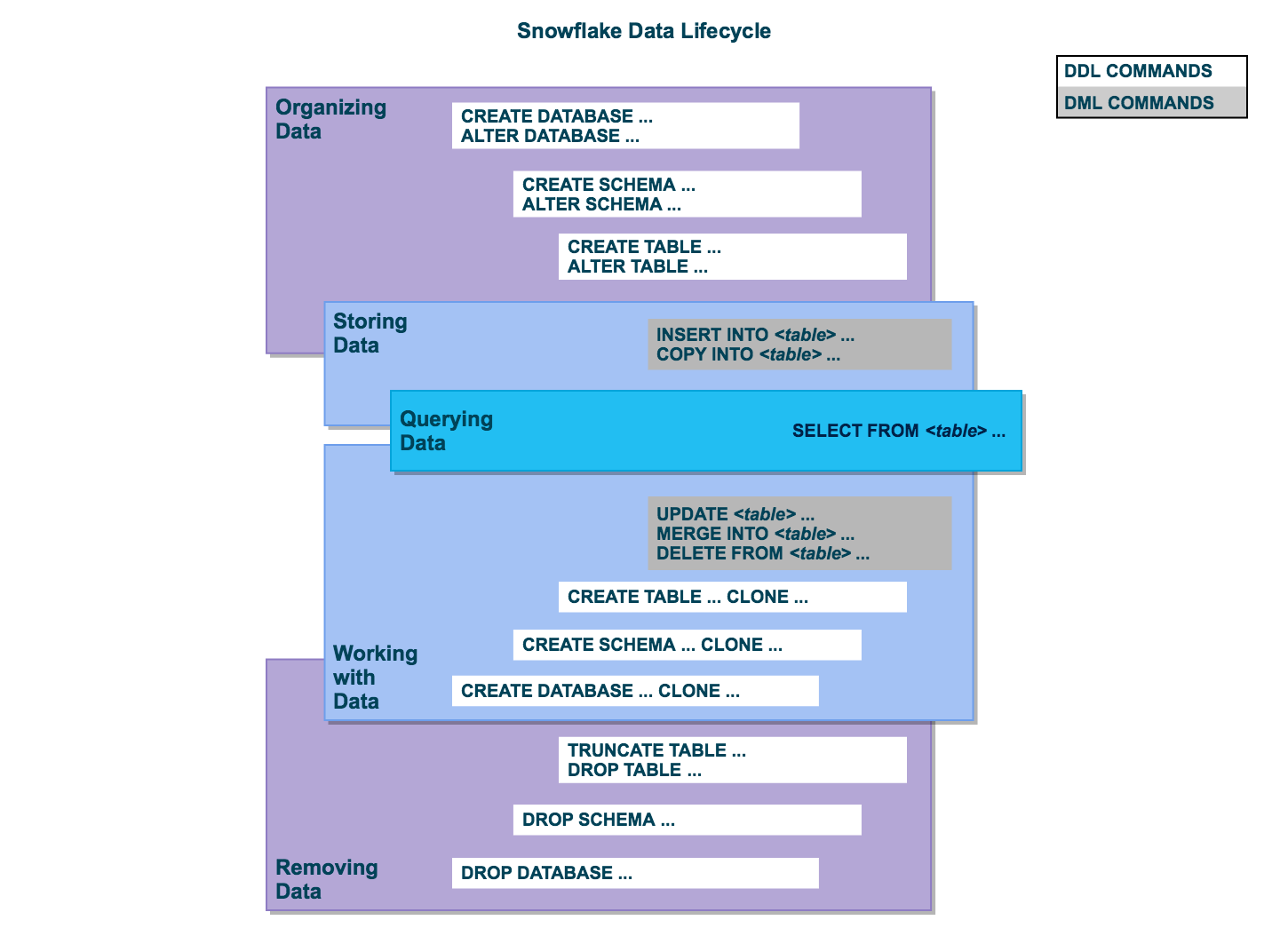
Snowflake 支持系统中数据生命周期内的所有标准 SELECT、 DDL 和 DML 操作,从整理和存储数据到查询和处理数据,以及从系统中移除数据。
Lifecycle diagram
All user data in Snowflake is logically represented as tables that you can query and modify through standard SQL interfaces. Each table belongs to a schema which in turn belongs to a database.
Organize data
You can organize your data into databases, schemas, and tables. Snowflake doesn't limit the number of databases you can create or the number of schemas you can create within a database. Snowflake also doesn't limit the number of tables you can create in a schema.
For more information, see the following topics:
Store data
您可以将数据直接插入到表中。此外,Snowflake 还提供 DML,可以将数据从外部的格式化文件加载到 Snowflak 表中。
For more information, see the following topics:
Query data
After data is stored in a table, you can issue SELECT statements to query the data.
有关更多信息,请参阅 SELECT。
Work with data
After data is stored in a table, you can perform all standard DML operations on the data. In addition, Snowflake supports DDL actions, such as cloning entire databases, schemas, and tables.
For more information, see the following topics:
Remove data
除了使用 DML 命令 DELETE 从表中移除数据外,还可以截断或删除整个表。也可以删除整个架构和数据库。
For more information, see the following topics: