Snowpark Migration Accelerator: 转换设置
首次启动 Snowpark Migration Accelerator (SMA) 时,需要创建新项目或打开现有项目。每个项目可以存储评估和转换阶段的多次 SMA 执行。完成评估阶段后,需要为项目配置转换阶段参数。
转换设置页面
在转换过程中,会提供多个配置选项,但默认设置已适配大多数使用场景。
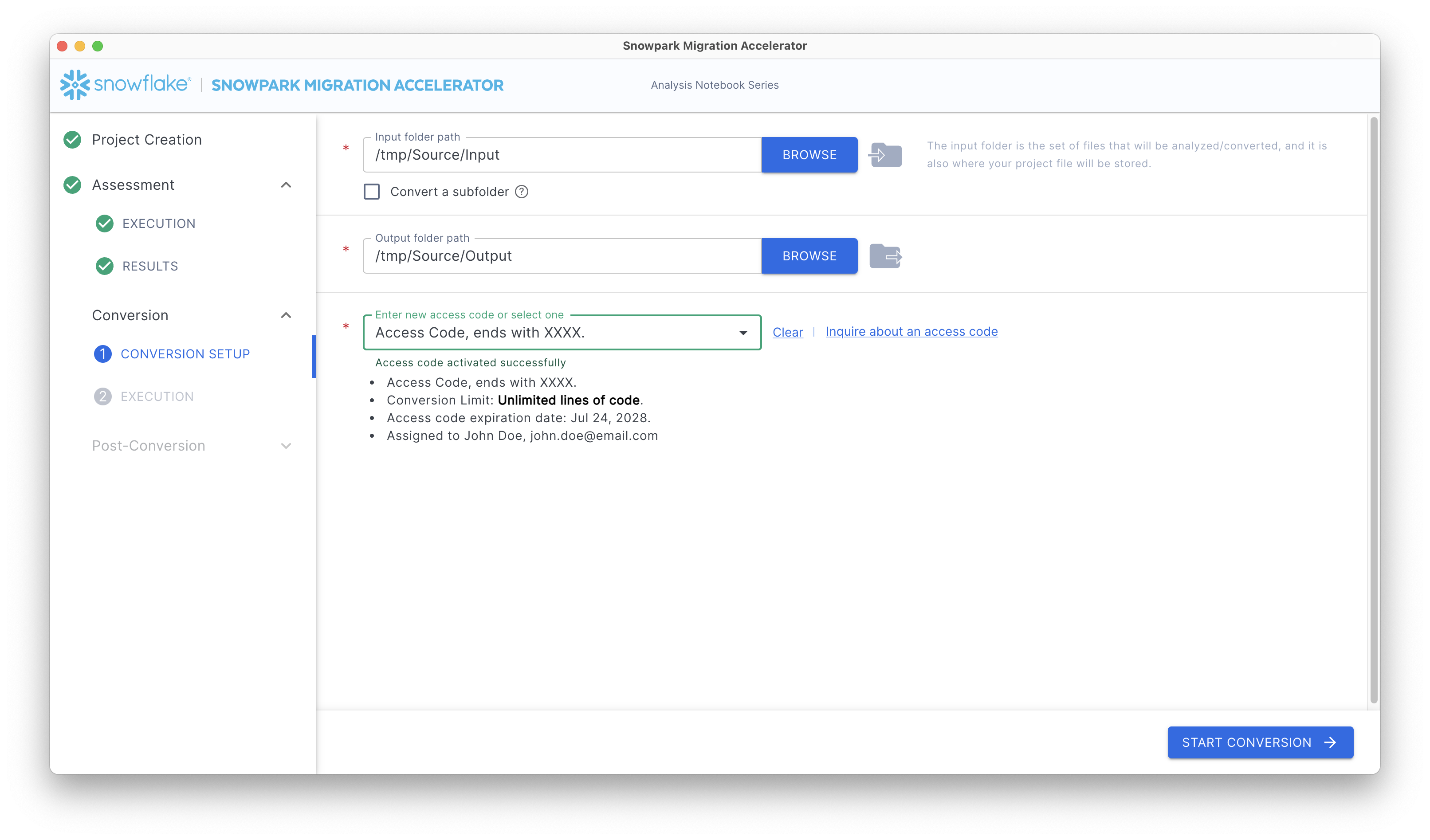
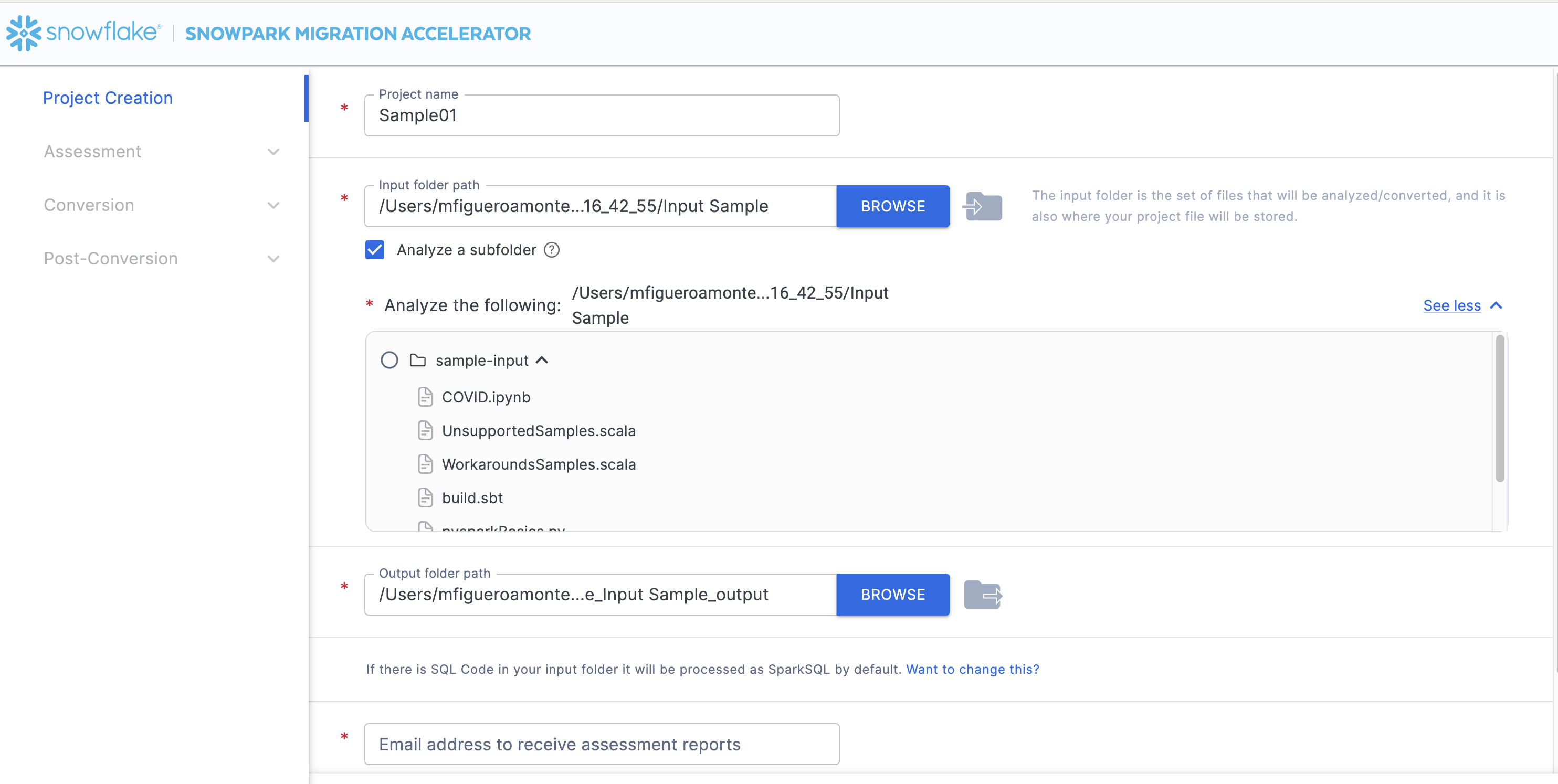
Input Folder Path – 此目录包含要分析的代码文件。虽然此路径可以与 项目创建 期间指定的路径相同,但也可以选择不同的目录。即使代码自初始评估以来发生了变化,SMA 也将执行新的评估以确保转换结果准确。
备注
该工具仅分析特定的文件扩展名
可以使用文件夹名称旁边的单选按钮选择特定的子文件夹或单个文件
作为此过程的一部分,将再次生成评估报告
备注
When you hover your mouse over any path label in the interface, a tooltip will display the complete file path. This feature works for all fields containing shortened paths, such as input and output folder locations.
Output Folder Path – 选择目标文件夹,SMA 将在其中保存所有生成的文件,包括日志、报告和转换后的代码。
Enter a New Access Code – 在此字段中输入访问码。如果您没有访问码,可以申请获取。下一节将介绍获取访问码的流程。
Select Change Conversion Settings to change settings that govern details of the conversion. For more information, see Conversion settings.
输入和请求访问码
要使用 Snowpark Migration Accelerator (SMA) 执行转换,需要访问码。这些代码通常关联到个人用户或电子邮件地址,并决定您可以使用哪些 SMA 功能。请注意,评估阶段无需访问码,仅在进入转换设置阶段时才需要提供。
申请访问码
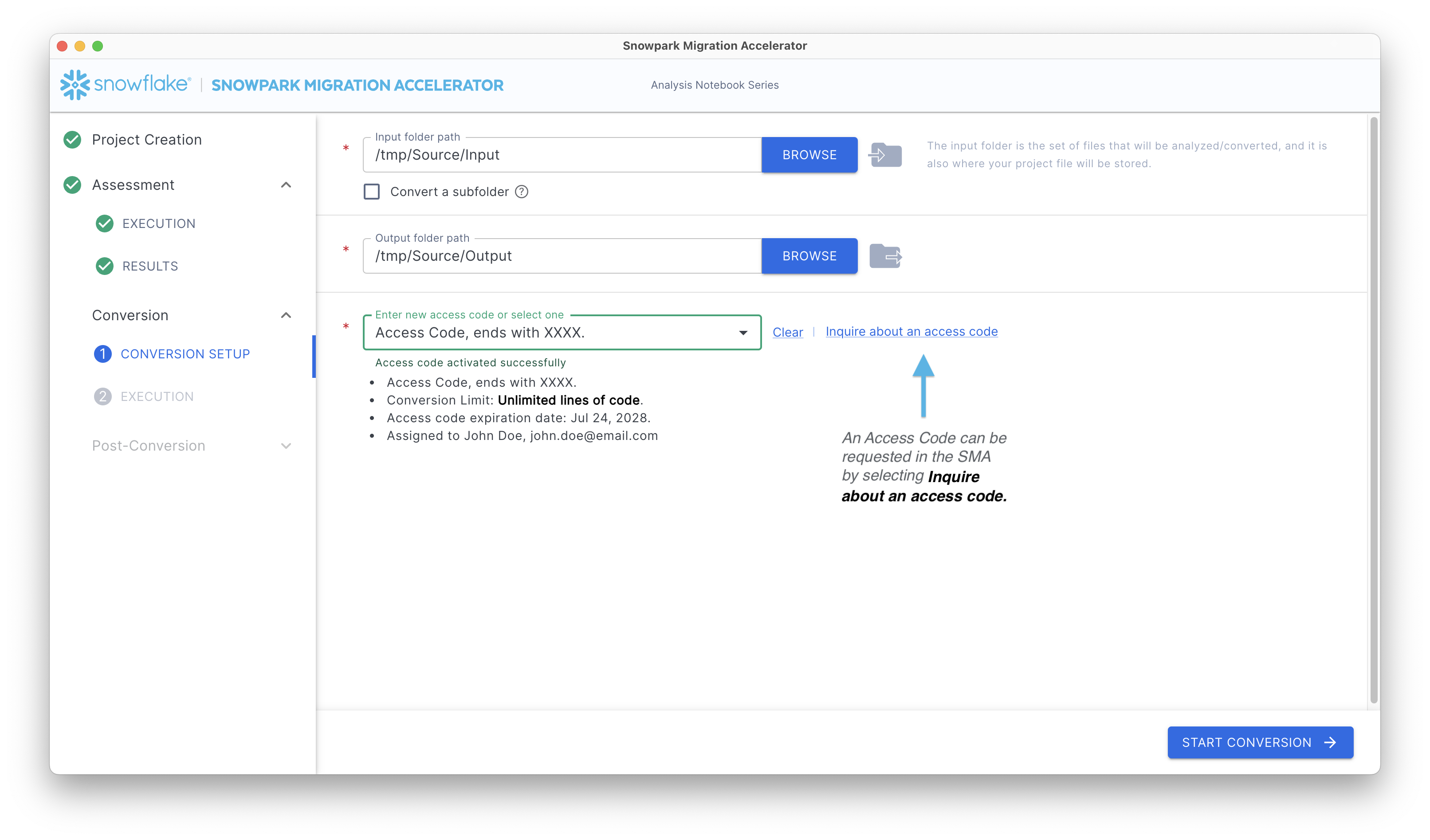
可随时 通过帮助菜单 申请访问码。或者,可以点击“Conversion Setup”页面上的 Inquire about an access code。
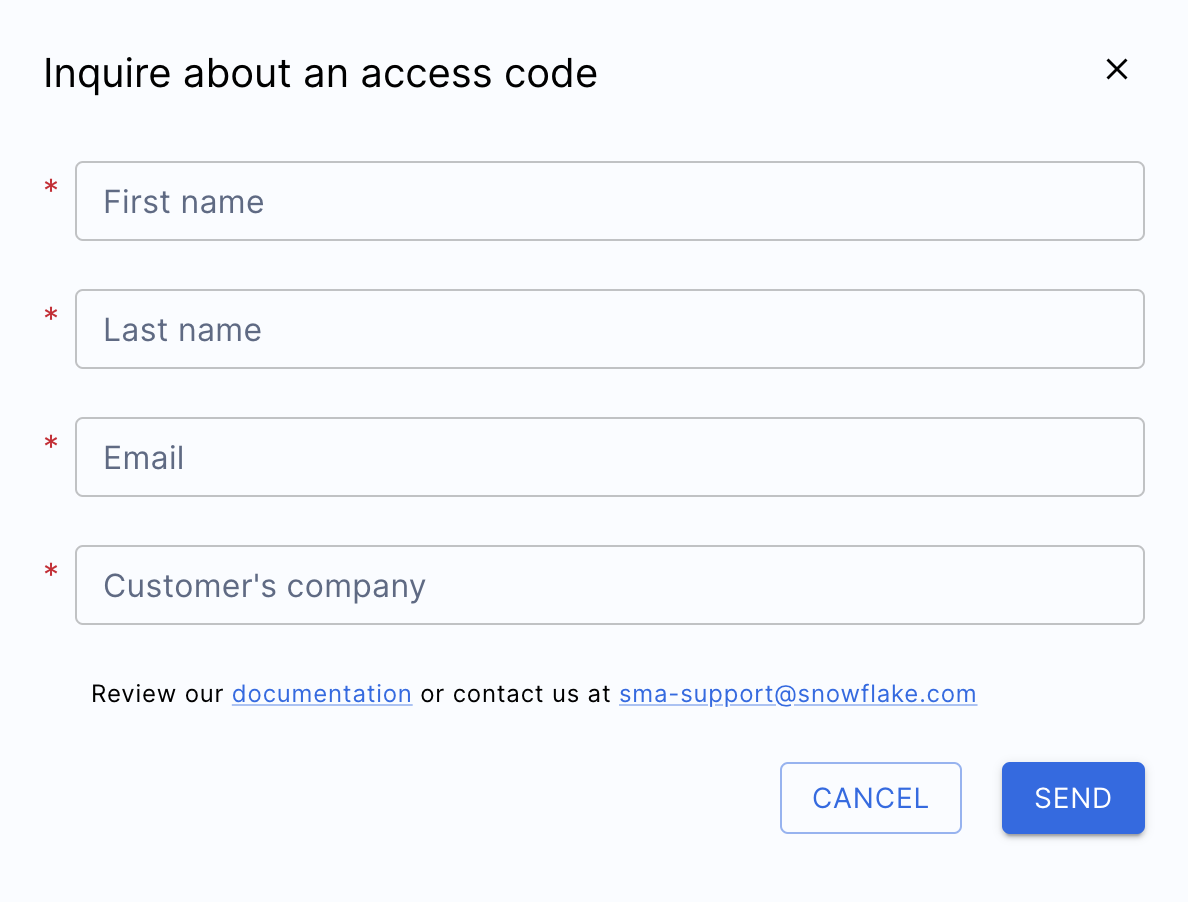
系统将显示访问码的申请表。
输入访问码
申请访问码后,系统会将它发送到您在表单中提供的电子邮件地址。该电子邮件的发件电子邮件地址为 sma-notifications@snowflake.com。请注意,访问码不会自动显示在 SMA 界面中,必须查看电子邮件获取。
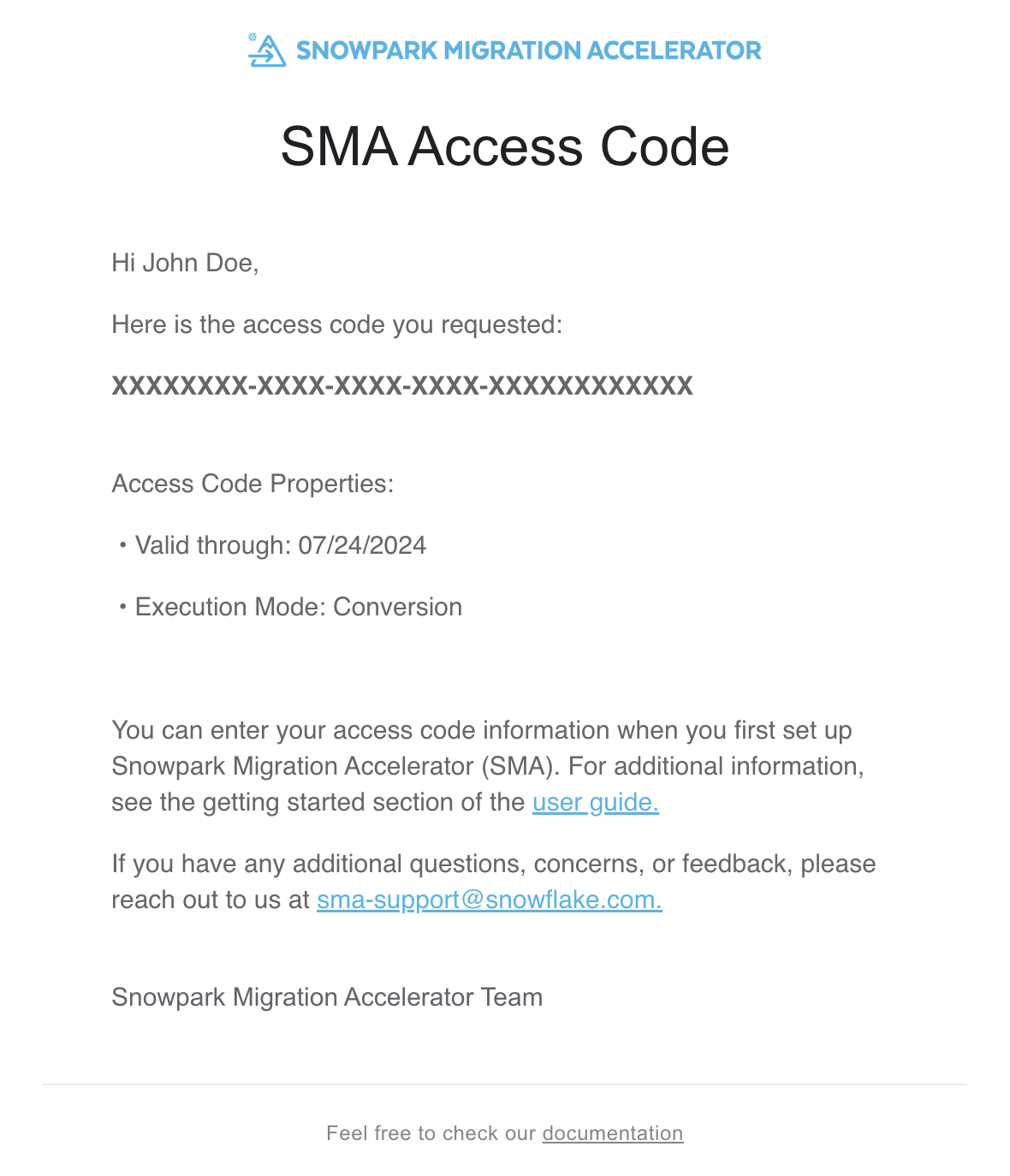
复制电子邮件中的访问码并将其粘贴到“Conversion Setup”中的“Enter new access code or select one”字段中。该访问码由字母、短划线和数字组成,必须严格按照电子邮件所示格式输入。
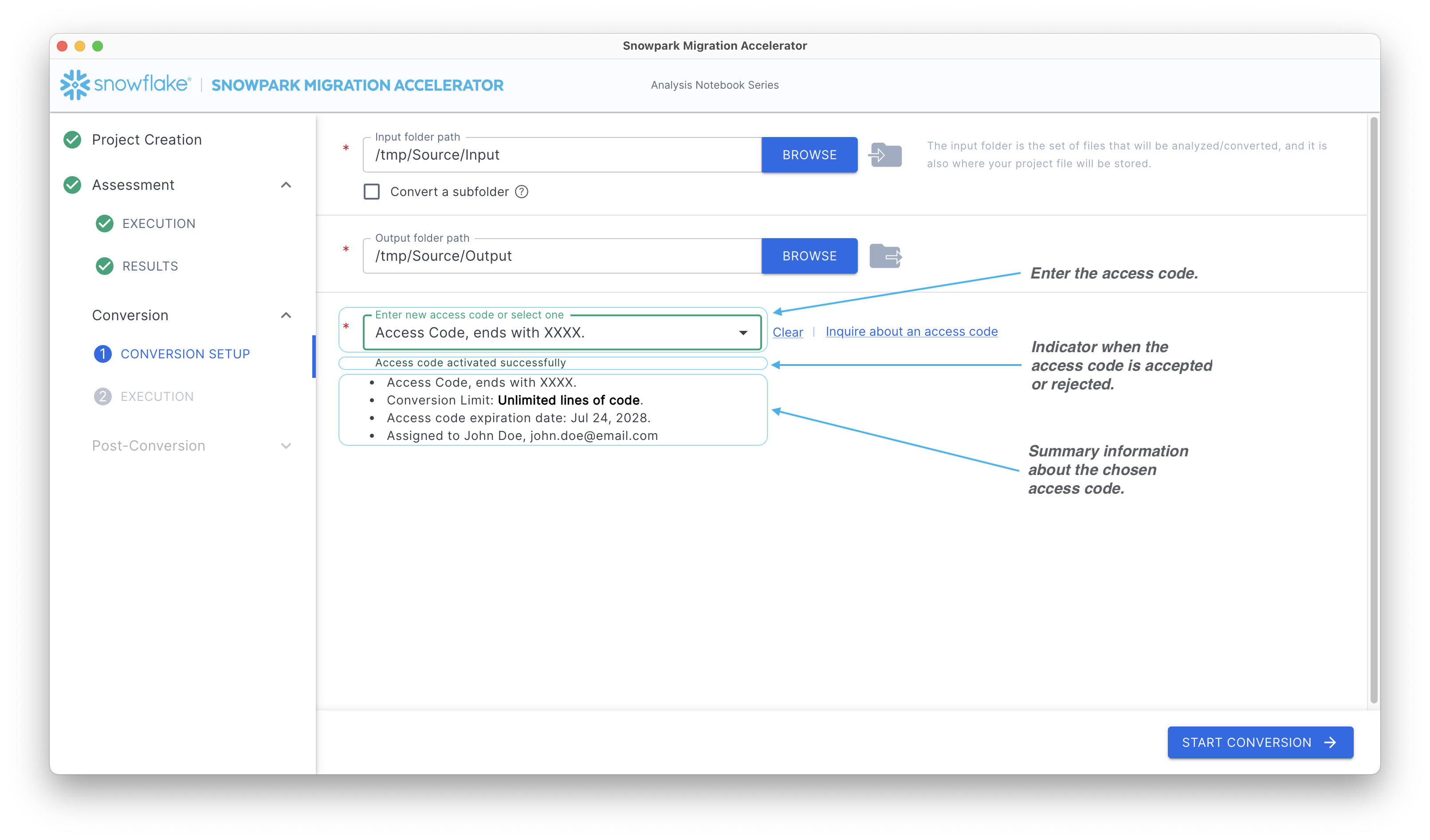
有关访问码验证的重要信息:
输入访问码时,按 Enter 键(或 Return 键)将其激活。仅粘贴代码无效,必须按 Enter 键。该工具将显示一条消息,指明访问码是成功激活还是失败。若未看到任何消息,请点击访问码字段,然后再次按 Enter 键。
SMA 通过 SMA Access API 验证访问码,此操作需要互联网连接。若无互联网接入,代码验证和转换功能将无法运行。如果网络安全需要将 Access API 列入白名单,请联系 sma-support@snowflake.com 以获取访问码验证方面的帮助。
验证许可证后,SMA 会显示访问码详细信息摘要。这包括到期日期和关联的电子邮件地址,如上图所示。
要获取 Snowpark Migration Accelerator (SMA) 的访问码,请参阅本文档中的“访问”部分。
设置完成
配置转换设置后,点击应用程序底部的 Start Conversion。此操作将启动 SMA 评估和转换流程。您将看到状态屏幕,该屏幕与 评估阶段 中显示的状态屏幕相同。
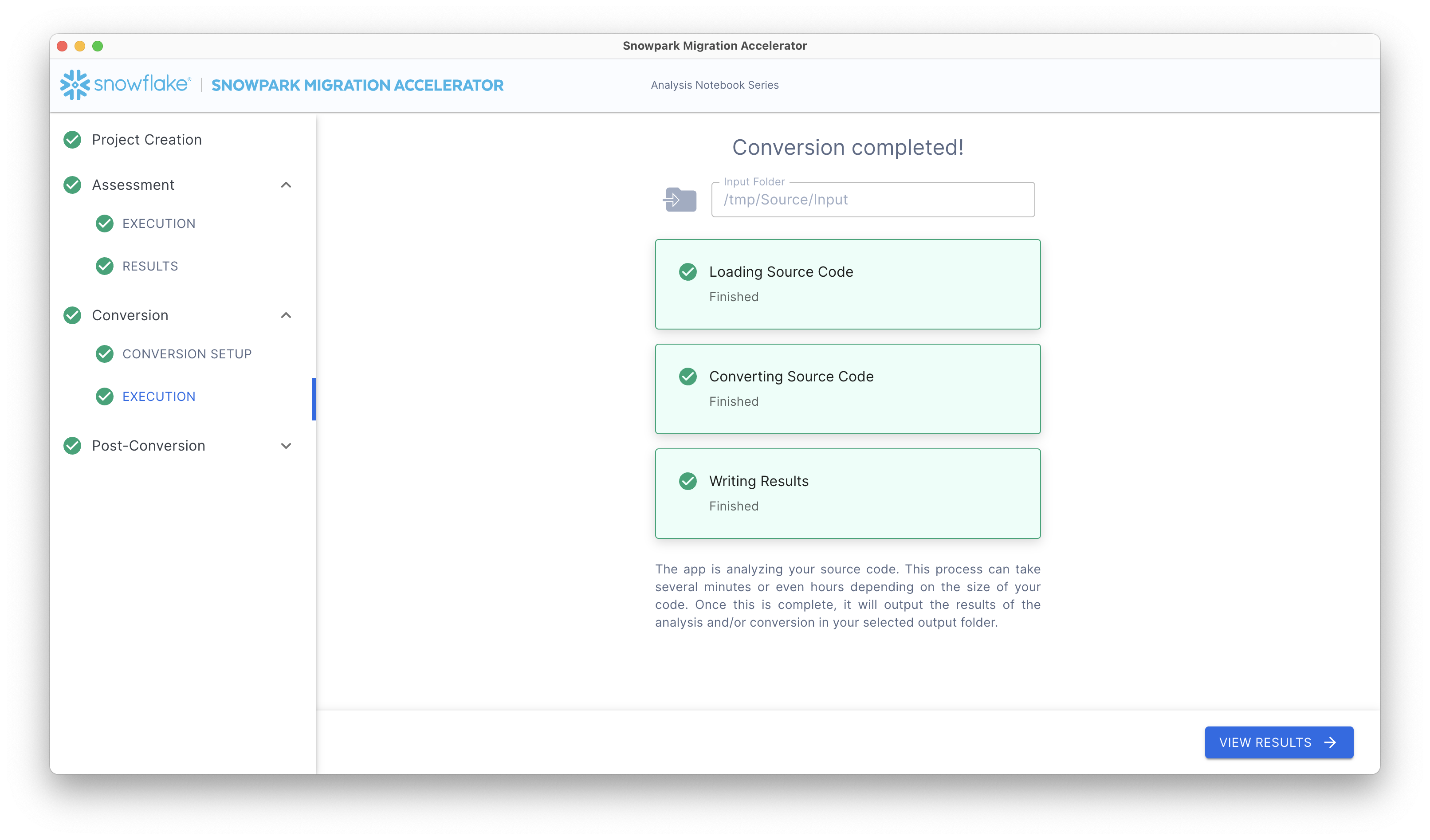
点击 View Results 进入“Conversion Output”屏幕。
Conversion Settings
With the following settings from the user interface, you can more finely control how the SMA performs conversion.
Pandas
Convert Pandas API to Snowpark API - Specifies to automatically convert Pandas code to the Snowpark equivalent Pandas API (Snowpark Pandas). When enabled, the tool transforms any Pandas operations it finds in your code into their Snowpark counterparts.
DBX
Convert DBX notebooks to Snowflake notebooks - Specifies to convert the .dbc into Jupyter files in a new folder with the .dbc name.
备注
When exporting notebooks, consider exporting them as Databricks, rather than Jupyter. When Jupyter files contain different sources than Python, SMA behavior may be unexpected.
Checkpoints
Identify and collect checkpoints - Activates the feature.
Collect checkpoints as active - Specifies to execute the collected checkpoint in VS Code when running the workload.
Collect user-defined functions returning data frame type - Specifies to validate that dataframes should be collected if the user has their own functions that return DataFrames.
Mode - Specifies the mode type to validate (Schema or DataFrame).
Sample - Specifies the sampling percentage of each DataFrame to validate.
Relevant PySpark functions to collect - Specifies the PySpark packages to collect (by default, all of them are checked). You can also add more packages by adding the package’s full name.