Snowpark Migration Accelerator:与 Snowflake 共享输出
Snowpark Migration Accelerator (SMA) 是由 Snowflake 创建的独立工具。尽管它独立于主 Snowflake 服务运行,但可以收集有关该工具使用的基本使用情况统计信息。请放心,SMA 不会收集或传输有关您源代码的任何详细信息。
共享报告
要与 SMA 团队共享本地生成的代码或报告(用于故障排除、产品改进或详细分析),可以使用以下方法:
In the tool - Use the Report an Issue feature to notify the SMA support team. You can select specific information to share, attach files, and provide a description of your issue or inquiry.
明确(通过电子邮件) - 直接发送包含文件和信息的电子邮件。这是最直接的方法。
Before sharing any report, you must complete some initial steps. Let's demonstrate this process using the PandasUsagesInventory.csv report as an example.
Run the SMA Assessment or Conversion - If you need help with code conversion or want to analyze your code, visit the getting started guide to learn how to set up and use the Snowpark Migration Accelerator (SMA).
找到您的文件 - 找到您要共享的文件。它们通常位于评估结果的报告目录中,或转换后代码的输出目录中。
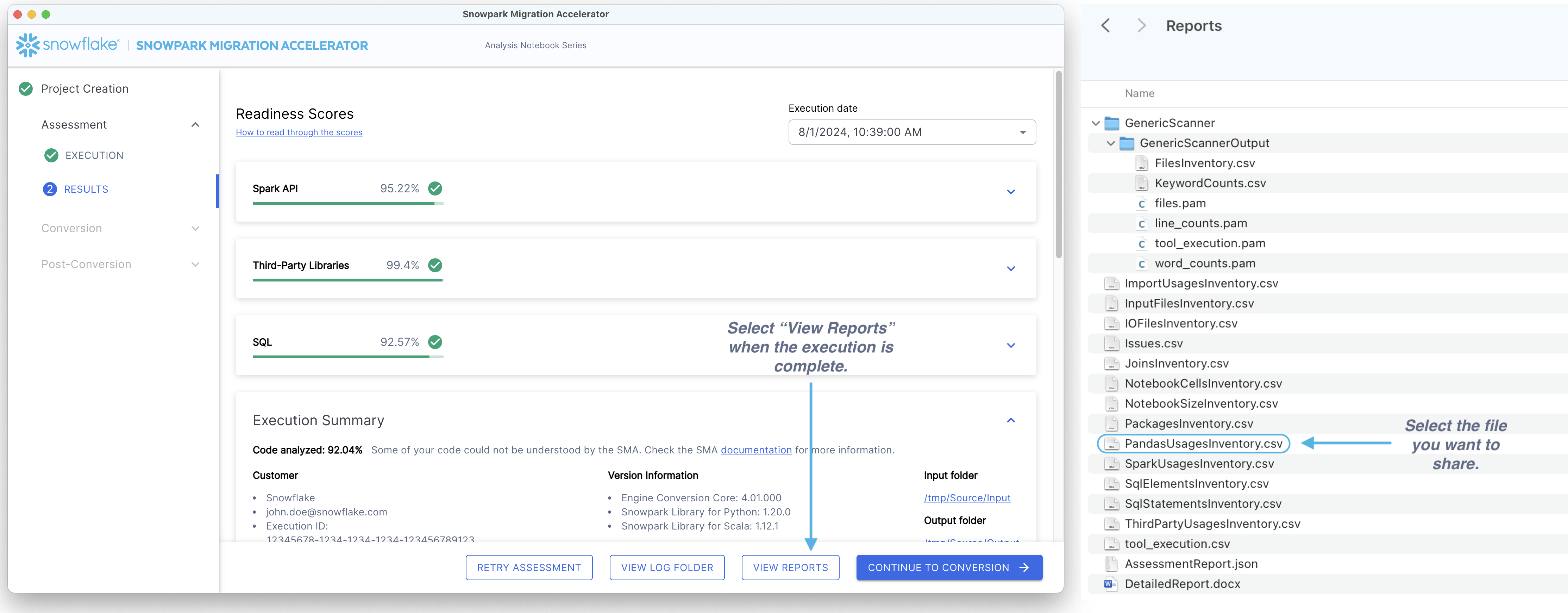
选择要共享的文件 - 对于多个文件,我们建议创建 zip 压缩文件,而不是单独共享单个文件。
Share the file(s) - You can share files in two ways: 1. Using the tool: Access the Report an Issue option from the help menu. Add a brief description explaining the shared content and attach your file(s).

Via Email: Send your file(s) to sma-info@snowflake.com along with an explanation of why you're sharing them.
仅此而已,就像在计算机上浏览文件夹一样简单。