Parsing documents with AI_
AI_PARSE_DOCUMENT is a Cortex AI function that extracts text, data, layout elements, and images from documents, enabling end-to-end, multimodal document processing pipelines at enterprise scale.
The function processes documents stored on internal or external stages, preserving reading order and structural elements such as tables and headers. It can be combined with other Cortex AI functions to build advanced workflows for extraction, classification, enrichment, and analysis.
AI_PARSE_DOCUMENT supports a wide range of use cases, including:
- Data enrichment: Extract text and images to add visual and contextual signals for deeper insights
- Multimodal RAG: Combine text and images to improve retrieval-augmented generation (RAG) quality
- Image understanding: Use extracted images with AI_EXTRACT or AI_COMPLETE for automatic tagging and analysis
- Knowledge base creation: Build richer repositories that include both structured text and visual content
- Compliance and audit workflows: Extract and analyze elements such as charts, signatures, and embedded visuals
AI_PARSE_DOCUMENT orchestrates advanced AI models for document understanding and layout analysis, enabling high-fidelity processing of complex, multi-page documents.
Processing modes
The AI_PARSE_DOCUMENT function offers two modes for processing documents:
- LAYOUT mode is the preferred choice for most use cases, especially for complex documents. It is optimized for extracting structured content such as tables, headers, and layout relationships, and is required for image extraction.
- Image extraction (LAYOUT mode): Extract embedded images alongside text and layout by setting
'extract_images': true, enabling multimodal workflows such as RAG, image analysis, and compliance use cases. There is no additional cost for using this parameter. - OCR mode is recommended for fast, high-quality text extraction from scanned or text-heavy documents such as contracts, insurance claims, and manuals.
For each mode, use the page_split option to split multi-page documents into separate pages in the response.
You can also use the page_filter option to process only specified pages. If using page_filter,
page_split is implied, and you do not need to set it explicitly.
AI_PARSE_DOCUMENT is horizontally scalable, enabling efficient batch processing of multiple documents simultaneously. Documents can be processed directly from object storage to avoid unnecessary data movement.
AI_PARSE_DOCUMENT supports documents on stages that use client-side or server-side encryption, including in accounts that use PrivateLink or other network policies that restrict public network access to stages.
Examples
Simple layout example
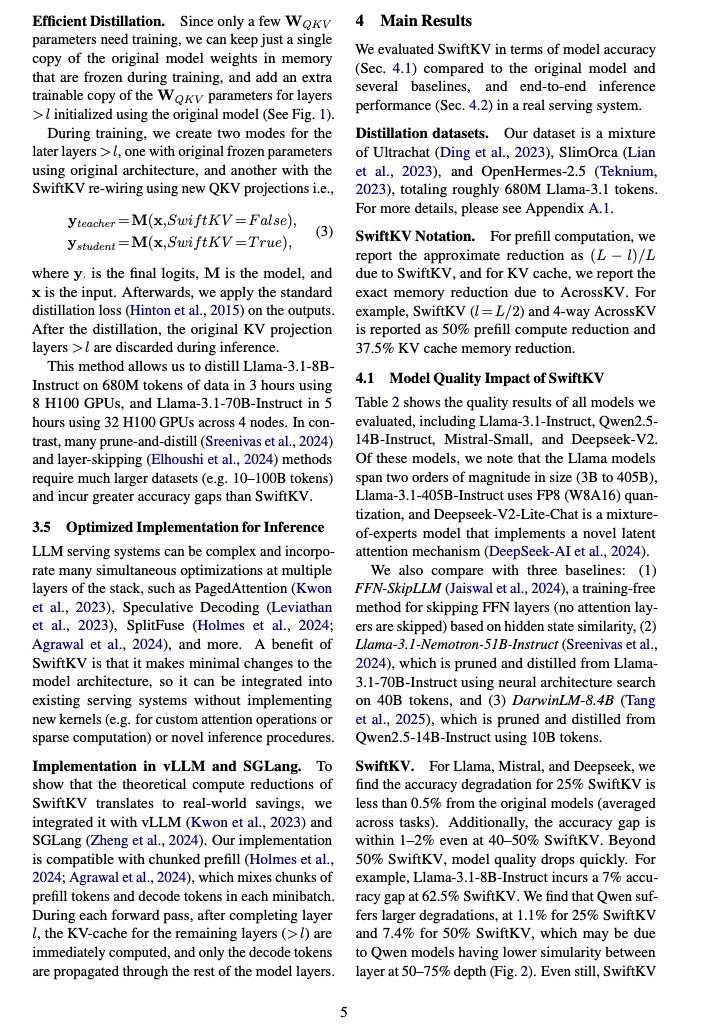
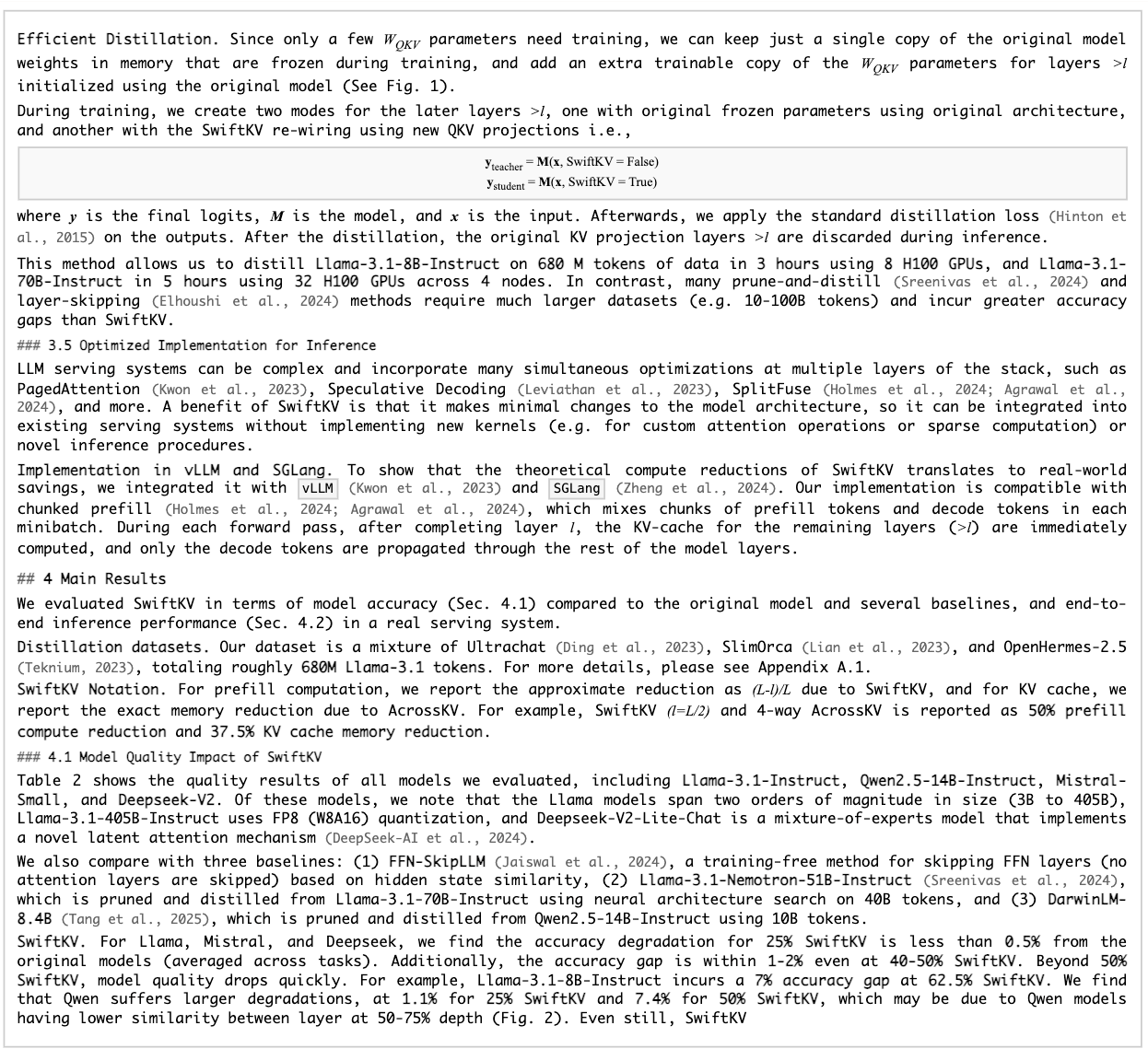
This example uses AI_PARSE_DOCUMENT’s LAYOUT mode to process a two-column research paper. The page_split parameter
is set to TRUE in order to separate the document into pages in the response. AI_PARSE_DOCUMENT returns the content in Markdown
format. The following shows rendered Markdown for one of the processed pages (page index 4 in the JSON output) next to
the original page. The raw Markdown is shown in the JSON response following the images.
| Page from the original document | Extracted Markdown rendered as HTML |
|---|---|
 |  |
Tip
To view either of these images at a more legible size, select it by clicking or tapping.
The following is the SQL command to process the original document:
The response from AI_PARSE_DOCUMENT is a JSON object containing metadata and text from the pages of the document, like the following. Some page objects have been omitted for brevity.
Table structure extraction example
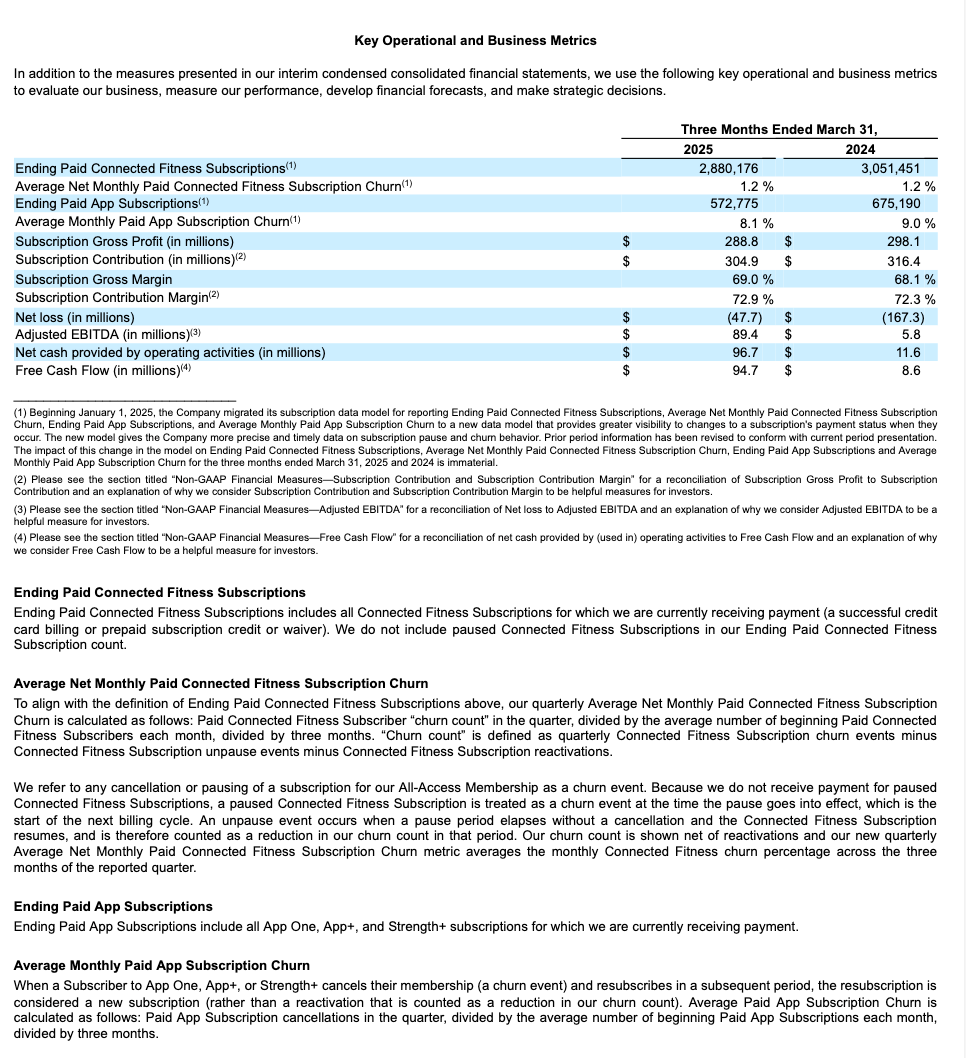
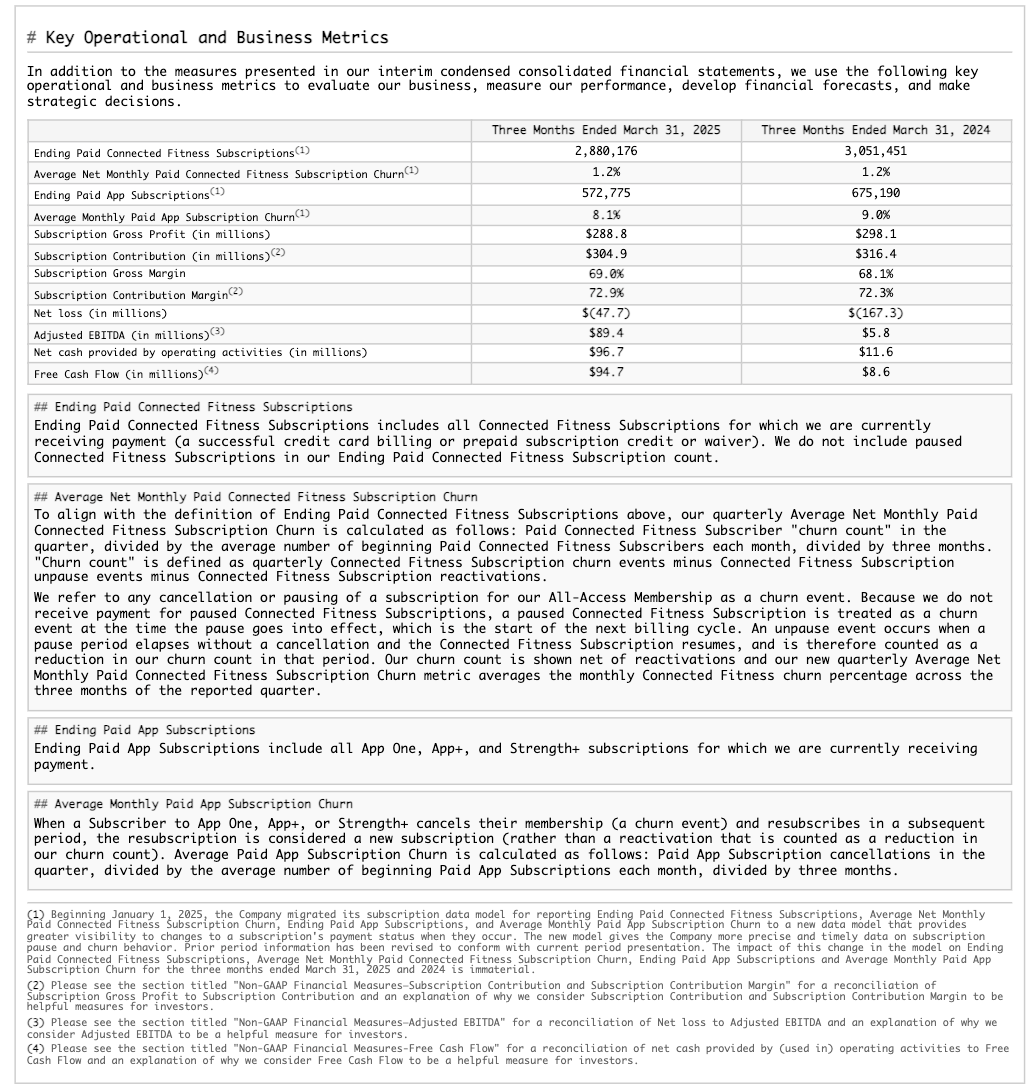
This example demonstrates extracting structural layout, including a table, from a 10-K filing. The following shows the rendered results for one of the processed pages (page index 28 in the JSON output).
| Page from the original document | Extracted Markdown rendered as HTML |
|---|---|
 |  |
Tip
To view either of these images at a more legible size, select it by clicking or tapping.
The following is the SQL command to process the original document:
The response from AI_PARSE_DOCUMENT is a JSON object containing metadata and text from the pages of the document, like the following. The results for all but the page previously shown have been omitted for brevity.
Slide deck example
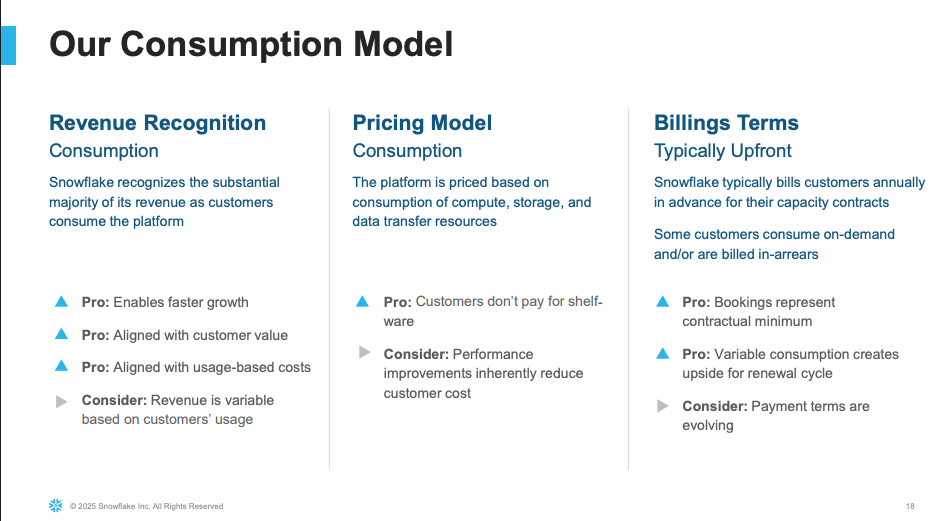
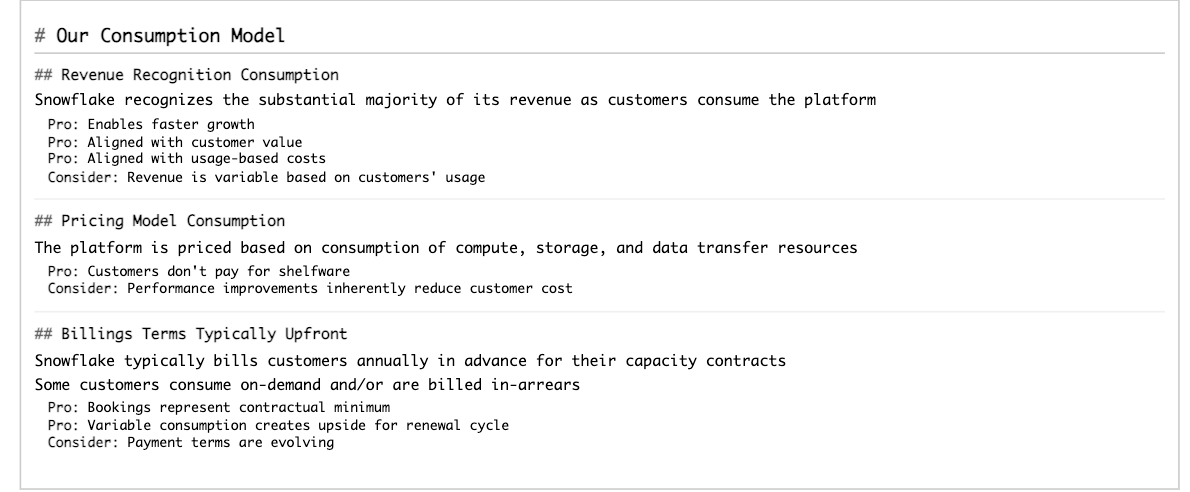
This example demonstrates extracting structural layout from a presentation. Below we show the rendered results for one of the processed slides (page index 17 in the JSON output).
| Slide from the original document | Extracted Markdown rendered as HTML |
|---|---|
 |  |
Tip
To view either of these images at a more legible size, select it by clicking or tapping.
The following is the SQL command to process the original document:
The response from AI_PARSE_DOCUMENT is a JSON object containing metadata and the text from the slides of the presentation, like the following. The results for some slides have been omitted for brevity.
Multilingual document example
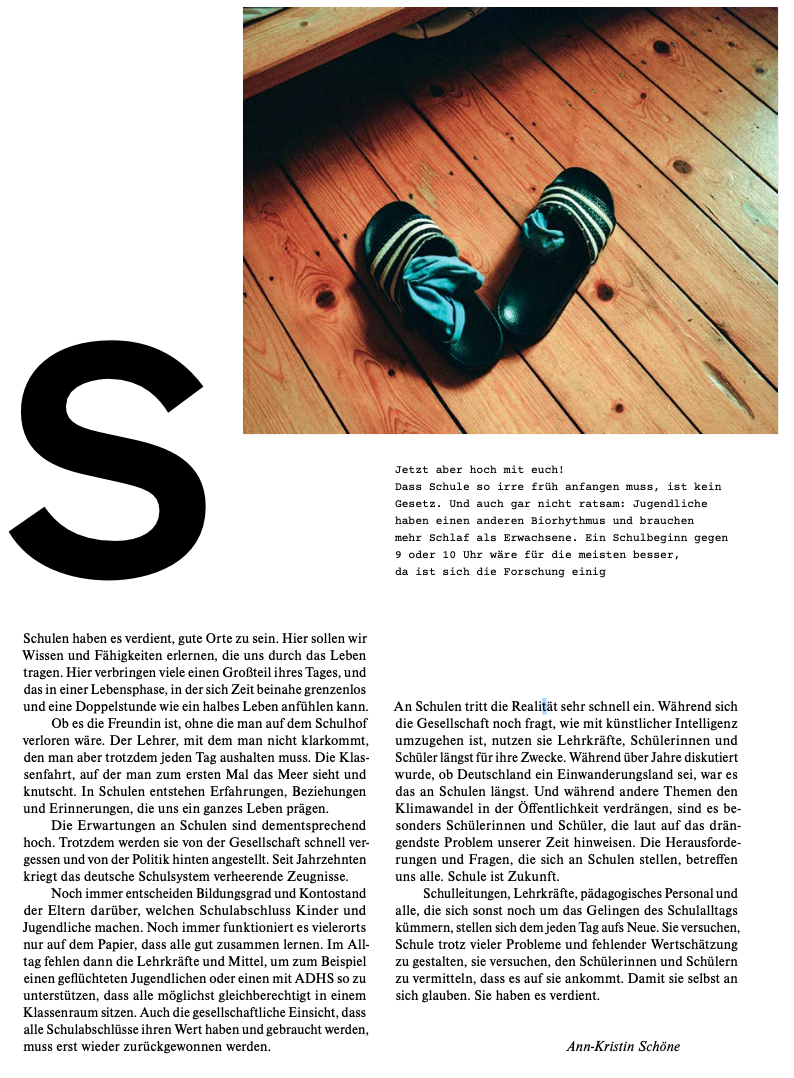
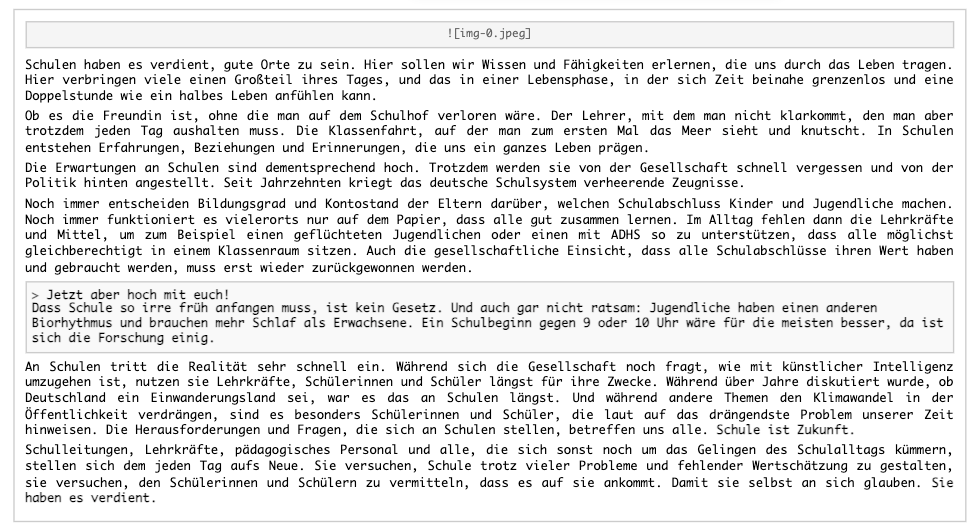
This example showcases AI_PARSE_DOCUMENT’s multilingual capabilities by extracting structural layout from a German article. AI_PARSE_DOCUMENT preserves the reading order of the main text even when images and pull quotes are present.
| Page from the original document | Extracted Markdown rendered as HTML |
|---|---|
 |  |
Tip
To view either of these images at a more legible size, select it by clicking or tapping.
The following is the SQL command to process the original document. Since the document has a single page, you do not need page splitting for this example.
The response from AI_PARSE_DOCUMENT is a JSON object containing metadata and the text from the document, like the following.
Snowflake Cortex can produce a translation to any supported language (English, language code 'en', in this case) as follows:
The translation is as follows:
Using OCR mode
OCR mode extracts text from scanned documents, such as screenshots or PDFs containing images of text. It does not preserve layout.
Output:
Process only certain pages of a document
This example demonstrates using the page_filter option to extract specific pages from a document, specifically
the first page of a 55-page research paper. Keep in mind that page indexes start at 0 and ranges are inclusive of
the start value but exclusive of the end value. For example, start: 0, end: 1 returns only the first page (index 0).
Result:
Classify multiple documents
To classify multiple documents, first create a table of the files by retrieving the document locations from a directory, converting these locations to FILE objects.
Then apply AI_PARSE_DOCUMENT to each document in the table and process the results, for example by passing them to AI_CLASSIFY to categorize the documents by type. This is an efficient approach to batch document analysis in a document collection.
The query returns classification labels for each document.
Extract and describe images
AI_PARSE_DOCUMENT can extract images embedded in documents alongside text and layout, enabling high-fidelity, multimodal document processing workflows.
To extract images from a document, set the 'mode' option to 'LAYOUT' (image extraction requires LAYOUT mode) and
set the 'extract_images' option to TRUE. AI_PARSE_DOCUMENT returns an array, images, in the JSON output. Each
element of images contains a field, image_base64, with the extracted image data encoded as a base64 string.
Image OBJECT_CONSTRUCT also contains fields for a unique ID and image bounding boxes.
After extracting image data, you can decode the images using BASE64_DECODE_BINARY and pass them directly to AI_EXTRACT to process or describe the image contents. The following example generates a description for the first extracted image after converting it to binary from base64. (AI_EXTRACT requires binary input.) The query uses a regular expression to strip the metadata (schema and format) from the base64 string.
Alternatively, you can store extracted images in a Snowflake stage for reuse, auditing, or additional processing with other Cortex AI functions, such as multimodal AI_COMPLETE. (AI_COMPLETE does not currently support direct image input.) The following example creates and uses a Python stored procedure to decode base64 image data from AI_PARSE_DOCUMENT and upload the resulting image files to a specified stage.
After creating the SAVE_EXTRACTED_IMAGES procedure, you can call it to extract images from a document and store them in a stage, as shown in the following code snippet:
The output of this query is a list of file paths for the images stored in the specified stage, such as:
Now you can process the stored images using other Cortex AI functions, such as AI_COMPLETE for multimodal analysis or generation.
Response:
Note
Image extraction has the following limitations:
- No more than 50 images can be extracted from a single document. Additional images are ignored.
- Images smaller than 4x4 pixels are not extracted.
Extracting images does not incur additional costs. Billing for AI_PARSE_DOCUMENT is based on the number of pages processed; a single image file is considered a page.
Input requirements
AI_PARSE_DOCUMENT is optimized for both digital-born and scanned documents. The following table lists the limitations and requirements of input documents:
| Maximum file size | 100 MB |
| Maximum pages per document | 2,000 |
| Maximum page resolution |
|
| Supported file type | PDF, PPTX, DOCX, JPEG, JPG, PNG, TIFF, TIF, HTML, TXT |
| Stage encryption | Client-side or server-side encryption |
| Font size | 8 points or larger for best results |
Supported document features and limitations
| Page orientation | AI_PARSE_DOCUMENT automatically detects page orientation. |
| Page splitting | AI_PARSE_DOCUMENT can split multi-page documents into individual pages and parse each separately. The output is split per page. |
| Page filtering | AI_PARSE_DOCUMENT can process some of the pages in a document, instead of all of them, by specifying page ranges. This is useful when you know what pages the information you’re looking for is on. |
| Characters | AI_PARSE_DOCUMENT detects the following characters:
|
| Images | AI_PARSE_DOCUMENT can extract embedded images from documents (up to 50 images per document) in addition to generating markup for them. See Extract and describe images for details. |
| Structured elements | AI_PARSE_DOCUMENT automatically detects and extracts tables and forms. |
| Fonts | AI_PARSE_DOCUMENT recognizes text in most serif and sans-serif fonts, but may have difficulty with decorative or script fonts. The function also recognizes handwriting. |
Supported languages
AI_PARSE_DOCUMENT is trained for the following languages in both OCR and LAYOUT modes:
- Chinese
- English
- French
- German
- Hindi
- Italian
- Norwegian
- Polish
- Portuguese
- Romanian
- Russian
- Spanish
- Swedish
- Turkish
- Ukrainian
Regional availability
Support for AI_PARSE_DOCUMENT is available to accounts in the following Snowflake regions:
| AWS | Azure | Google Cloud Platform |
|---|---|---|
| US West 2 (Oregon) | East US 2 (Virginia) | US Central 1 (Iowa) |
| US East (Ohio) | West US 2 (Washington) | Middle East Central 2 (Dammam) |
| US East 1 (N. Virginia) | Europe (Netherlands) | |
| Europe (Ireland) | ||
| Europe Central 1 (Frankfurt) | ||
| Europe West 2 (London) | ||
| Asia Pacific (Sydney) | ||
| Asia Pacific (Tokyo) |
AI_PARSE_DOCUMENT has cross-region support in other Snowflake regions. For information on enabling Cortex AI cross-region support, see Cross-region inference.
Access control requirements
To use the AI_PARSE_DOCUMENT function, a user with the ACCOUNTADMIN role must grant the SNOWFLAKE.CORTEX_USER database role to the user who will call the function. See Cortex LLM privileges topic for details.
Cost considerations
The Cortex AI_PARSE_DOCUMENT function incurs compute costs based on the number of pages per document processed. The following describes how pages are counted for different file formats:
- For paged file formats (PDF, DOCX), each page in the document is billed as a page.
- For image file formats (JPEG, JPG, TIF, TIFF, PNG), each individual image file is billed as a page.
- For HTML and TXT files, each chunk of 3,000 characters is billed as a page, including the last chunk, which may be less than 3,000 characters.
Snowflake recommends executing queries that call the Cortex AI_PARSE_DOCUMENT function in a smaller warehouse (no larger than MEDIUM). Larger warehouses do not increase performance.
Error conditions
Snowflake Cortex AI_PARSE_DOCUMENT can produce the following error messages:
| Message | Explanation |
|---|---|
Document contains language that is not supported. | Input document contains unsupported language. |
The provided file format {file_extension} isn't supported. Supported formats: .['.docx', '.pptx', '.pdf']. | The document is in unsupported format. |
The provided file format .bin isn't supported. Supported formats: ['.docx', '.pptx', '.pdf']. Ensure the file is stored with server-side encryption. | The file format is not supported and understood as a binary file. |
Maximum number of 2000 pages exceeded. The document has {actual_pages} pages. | The document exceeds the 2,000-page limit. |
Page size in pixels exceeds 10000x10000. The page size is {actual_px} pixels. | Image input or a converted document page is larger than the supported dimensions. |
Page size in inches exceeds 50x50 (3600x3600 pt). The page size is {actual_in} inches ({actual_pt} pt). | Page is larger than the supported dimensions. |
Maximum file size of 104857600 bytes exceeded. The file size is {actual_size} bytes. | The document is larger than 100 MB. |
Provided file cannot be found. | The file does not exist. |
Provided file cannot be accessed. | The file can’t be accessed due to insufficient privileges. |
The Parse Document function did not respond in the allowed time. | Timeout occurred. |
Internal error. | System error occurred. Wait and try again. |
Legal notices
The data classification of inputs and outputs are as set forth in the following table.
| Input data classification | Output data classification |
|---|---|
| Usage Data | Customer Data |
For additional information, refer to Snowflake AI and ML.