Share Cortex agents
As a provider, you can share an existing Cortex Agent with other organizations on Snowflake, allowing you to expand the user base of your agent and bring its value to other Snowflake customers. You can share your Cortex Agents either on Snowflake Marketplace or with designated accounts. For more information on being a provider for Snowflake Marketplace, see Use listings as a provider.
As a consumer of a shared Cortex Agent, you gain access to an easy-to-use interface to get insights from shared structured or unstructured data. For more information on consuming Cortex Agents, see Use listings as a consumer and Use and manage Snowflake Native Apps as a consumer.
Requirements
Sharing a Cortex Agent requires the following:
- Sharing all linked objects such as semantic views or Cortex Search Services. For more information, see Create and configure shares and Share semantic views.
- Shared linked objects must be in the same database as your shared Cortex Agent.
- Only agents that use the following tool types can be shared: semantic views, Cortex Search Services, and functions. Agents that use other tool types, such as procedures, skills, or MCP connectors, can’t be shared.
Set a Cortex Agent as shared
You can share your Cortex Agents as a provider in Snowflake Marketplace through Provider Studio.
You can also set an agent as shared with a SQL statement. The following example adds the agent my_agent to the share my_share:
If your agent uses linked objects such as semantic views, Cortex Search Services, or functions, you must also grant those objects to the share:
When you add an agent to an existing share, the consumer user who has installed the share receives an email notification to try out the agent.
Identify shared agents in Snowsight
In the navigation menu, select AI & ML » Agents. The Source column indicates whether each agent is Local or Shared. Use this column to quickly distinguish between agents created in your account and agents shared with you from another account.
Consume a shared Cortex Agent
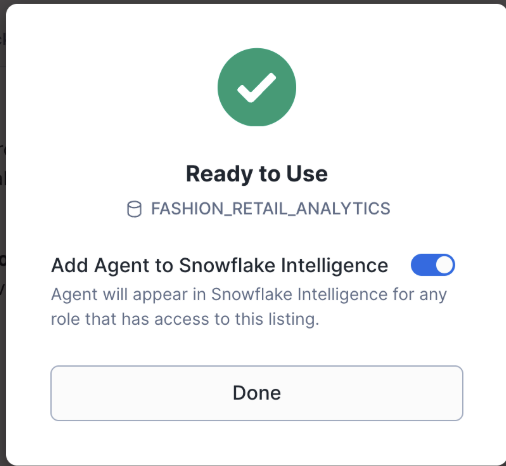
When you get a listing that contains a shared Cortex Agent, you can add the agent to Snowflake CoWork. To do so, keep the Add to Snowflake CoWork toggle enabled when you get the listing. This makes the shared agent available as a data source within Snowflake CoWork.
Warehouse selection
By default, a shared agent runs using your default warehouse. You can specify a custom warehouse for query and tool execution to control compute resources and costs.
To configure a custom warehouse for a shared agent:
- Sign in to Snowsight.
- In the navigation menu, select AI & ML » Agents.
- Select a shared agent. You can identify shared agents by the Source column.
- Select More options menu (…) –> Configure warehouses for tools.
- Select Custom, choose a warehouse, and then select Save.
After you configure a custom warehouse, the shared agent uses the specified warehouse to run queries and execute tools.
Replication
Shared Cortex Agents support replication. Listing auto-fulfillment replicates agents to other regions, allowing consumers in different regions to access the shared agent.
Limitations
The following limitations apply to shared Cortex Agents:
- A SQL table function can be shared, but a Python user-defined table function can’t.
- If you update a shared agent to use new tools (such as semantic views, Cortex Search Services, or functions), you must also grant those new tools to the share. New tools aren’t automatically added.
Cost considerations
In addition to any costs paid to the provider of the shared Cortex Agent, consumers are billed for the following:
- Input and output tokens used by the consumer’s invocation of the shared agent.
- Consumer’s warehouse usage for SQL query and tools execution.
For more information on costs paid to providers, see Pay for Snowflake Marketplace listings. For more information on Snowflake costs, see the Snowflake Service Consumption Table.