Intent-Driven Governance
Intent-Driven Governance is a guided workflow in Snowflake CoCo for assessing, planning, reviewing, and applying data governance controls. Describe the outcome you need in plain language, then review the scope, governance specification, and exact SQL before any change is applied.
Get started
Use Intent-Driven Governance in Cortex Code, Snowflake CoWork, or CoCo in Snowsight. Start with a bounded scope, such as one database, schema, or table.
How it works
Intent-Driven Governance uses a review-first, stage-gated workflow. Each stage produces a reviewable artifact. Moving to the next stage requires approval of the current result.
- Observe controls: Establish the current baseline for the selected scope, including available classifications, tags, policy bindings, and relevant governance context. Use the findings to refine the captured intent.
- Understand intent: Define the desired outcome and initial scope. Confirm the data to protect, approved access, exclusions, and business requirements.
- Review governance spec: Review the proposed target state, including controls to create or reuse, protections to preserve, intentional exclusions, and remaining gaps.
- Generate exact SQL and prechecks: CoCo automatically prepares the executable SQL and dry-run evidence when supported. Where a dry run is unavailable, review non-mutating prechecks before approving the exact SQL package.
- Execute and verify: An authorized user executes the approved SQL package. CoCo verifies the resulting state against the reviewed governance spec and creates a committed baseline for later drift review.
The workflow can identify sensitive columns, let you review proposed tags, and prepare masking changes for selected roles.
Artifacts
Each stage produces artifacts that connect the requested outcome to the applied controls.
| Stage | Artifact | What you review |
|---|---|---|
| Observe controls | Observation summary | Current governance baseline, scope, classifications, and visible gaps. |
| Understand intent | Intent summary | Requested protections, role access, exclusions, and business requirements. |
| Review governance spec | Governance spec | Target controls, preserved controls, intentionally unprotected data, and unresolved items. |
| Generate SQL | Governance implementation SQL | Exact SQL, dry-run or precheck evidence, safety checks, and the approval boundary. |
| Execute | Execution summary | Applied statements, verification results, remaining gaps, and the committed version. |
Work with your team
Data leads can define the desired outcome and review the governance spec. Account administrators can review and execute the resulting SQL after the governance spec is approved. These roles are examples that illustrate the workflow; your data stakeholder model can be simpler or more complex.
Data lead
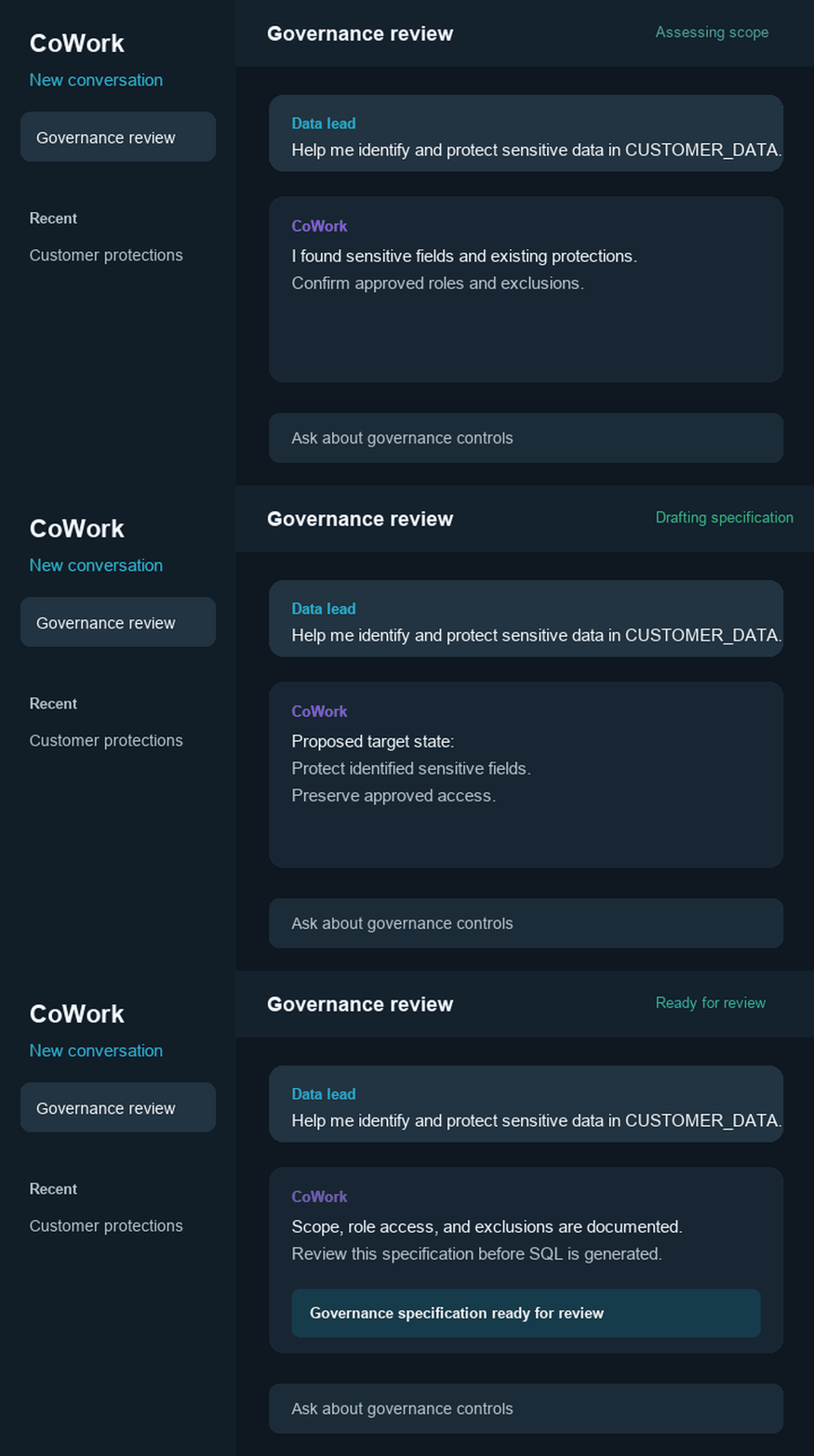
CoWork
Account administrator
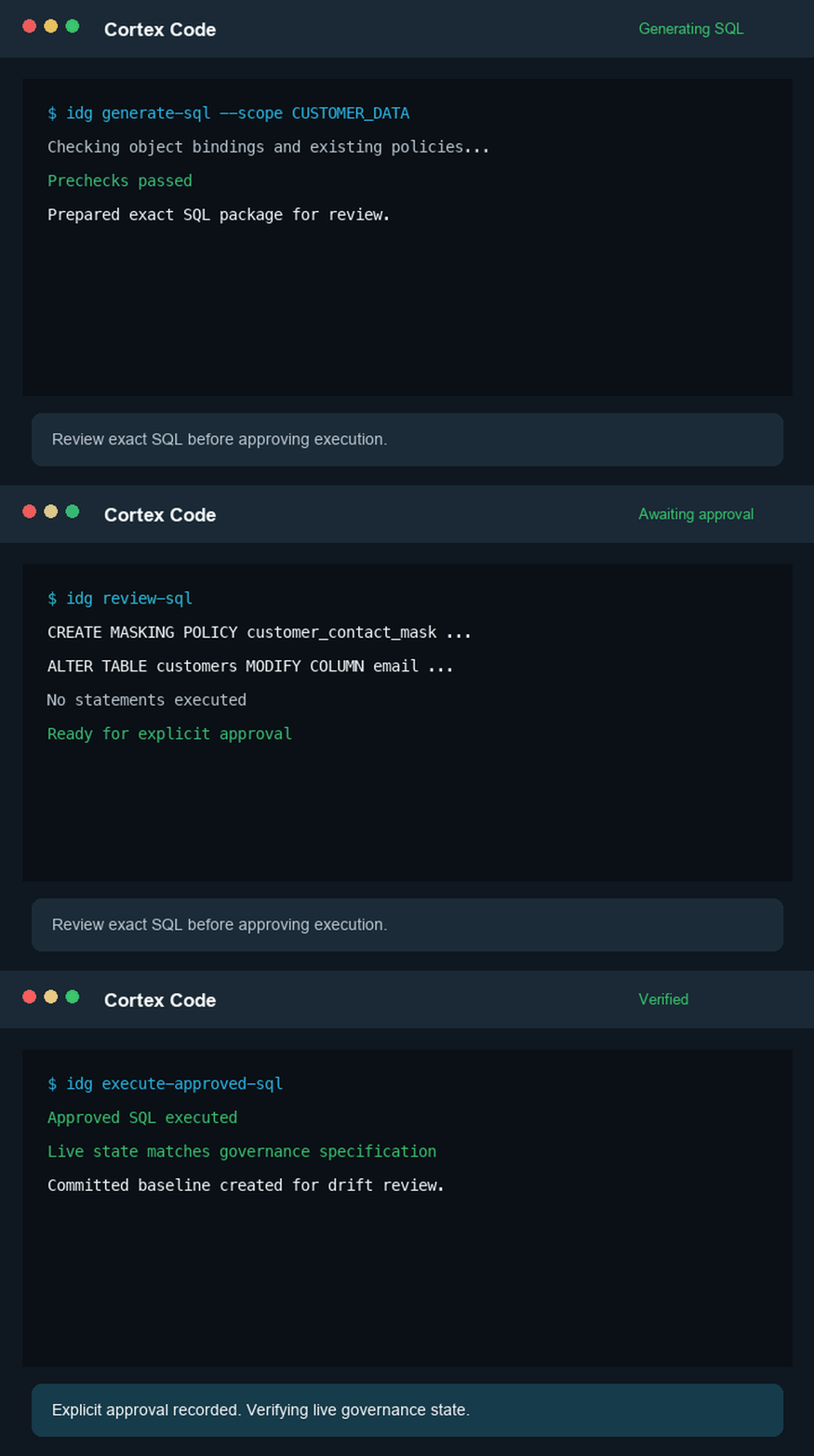
Cortex Code
| Role | Responsibilities | How this helps |
|---|---|---|
| Data lead or steward | Define required protections, approved access, and exclusions using the business meaning of the data. | Consolidates scope, observed controls, and the proposed governance spec into reviewable artifacts. |
| Account administrator | Manage Snowflake privileges, existing policies and tags, and the operational impact of changes. | Prepares exact SQL and prechecks for review, records explicit approval, and verifies the resulting state. |
Use an account-level administrative role, such as ACCOUNTADMIN or a role with equivalent governance privileges, to inspect account-wide governance state and apply changes. A role with access to the selected objects can still define scope and review artifacts. Classifying sensitive data requires OWNERSHIP or USAGE on each table or view. Creating or changing policies requires the applicable policy and object privileges.
If the active role can’t perform an operation, CoCo identifies the required handoff and preserves the review package. It doesn’t apply a partial change.
Stay in control
Intent-Driven Governance uses a spec-driven development model: the approved governance spec records the intended controls, and the generated SQL and execution evidence are tied back to that record. By default, artifacts persist in the INTENT_DRIVEN_GOVERNANCE.SPECS.SPECS stage. During a change, the workflow keeps a working draft. After approved SQL executes and verification succeeds, it creates an immutable committed version that includes the observation summary, intent summary, governance spec, implementation SQL, execution summary, and workflow state.
Use the committed artifact paths shown in the execution summary to list available versions:
-
Version control: Each successful, verified execution creates an immutable committed version.
-
Persistent artifacts: Working and committed artifacts preserve the spec, generated SQL, precheck evidence, and execution result outside the chat conversation.
-
Restore: Select a committed version to begin a read-only fix-forward restore review. The workflow compares it with the latest baseline and live state before generating new SQL.
-
Auditability: The execution summary records the approved SQL digest, executed statements, query IDs, verification results, and committed artifact paths.
Continuous monitoring
After you have a committed baseline, this prompt compares current governance state with that approved baseline. Drift review is read-only: it doesn’t generate SQL, apply remediation, or change the committed baseline. To run this review on a schedule, create a Cortex Code Desktop automation with a self-contained drift-review prompt. Review the run results, then begin a new reviewed workflow if a reported difference needs a change.
Troubleshooting and considerations
- The workflow can’t inspect an object: Verify that the active role has access to the database, schema, table, or view in scope.
- The workflow can’t apply a change: Use a role with the required policy and object privileges, or have an authorized administrator review and apply the generated SQL.
- You don’t want to execute a change: Review the governance specification, SQL, and precheck results. Do not explicitly approve the SQL package.
- The proposed scope or protection isn’t correct: Update the scope, exclusions, roles, or desired protection before approving the governance specification or SQL.
- The requested control isn’t supported: CoCo identifies the unsupported control or remaining gap. Use the dedicated documentation for sensitive data classification, object tags, and masking policies to configure controls outside the supported workflow.
- You are evaluating a preview feature: Preview behavior can change, and preview features aren’t intended for production systems or production data. For details, see Preview features.